Apple Watch Vitals: What Outliers Mean
Apple Watch Vitals guide: learn what each overnight metric means, why alerts happen, and when an out-of-range trend deserves rest or follow-up.
Written by Vita Team
Apple Watch Vitals is useful because it turns a messy group of overnight signals into one quick morning check. The hard part starts right after that alert. Is it just a late dinner, or is your body asking for an easier day?
Most people don't need another dashboard. They need a calm way to read what changed, what probably caused it, and what to do next.
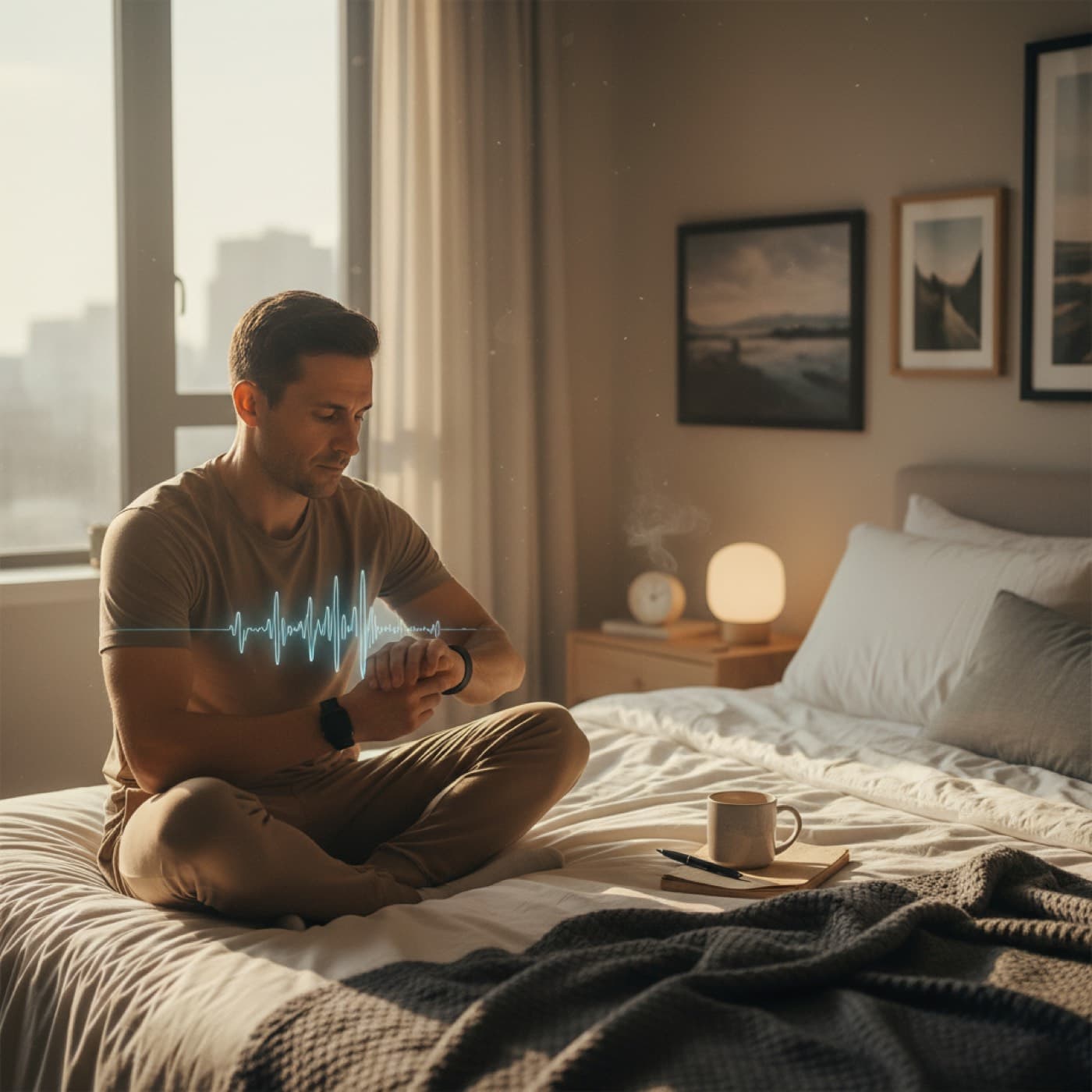
Apple Watch Vitals is Apple’s overnight baseline check for heart rate, respiratory rate, wrist temperature, sleep duration, and blood oxygen where available. A Vitals alert does not diagnose illness or overtraining, but it can flag that your recent sleep, recovery, stress, travel, alcohol, or training load pushed multiple signals outside your usual range.
Apple Watch Vitals: what it tracks overnight
Continue reading
Apple built Vitals for one job: compare last night with your own typical range.
That point matters more than most people think. Vitals is not trying to tell you what is "normal for all adults." It is trying to tell you what is normal for you, then show when several metrics drift away together.
According to Apple’s Vitals support page, the app reviews overnight heart rate, respiratory rate, wrist temperature, sleep duration, and blood oxygen when that metric is available on your watch and in your region. Apple also notes that Vitals is not a medical feature and should be read as context, not diagnosis.
That personal-baseline approach lines up with wearable research. A 2020 study published in *Nature Medicine* found that adding wearable data improved detection of illness-related changes compared with symptoms alone, which is one reason trend shifts matter more than single raw values (Nature Medicine).
If you use Apple Watch in the United States, one practical detail is easy to miss: Apple says Blood Oxygen is not available on certain watches sold on or after January 18, 2024. So your Vitals card may not show the same metric mix as someone else’s setup.
Here is the simple way to read each Vitals metric.
| Vitals metric | What it usually reflects | Common reasons it shifts | Best first move |
|---|---|---|---|
| Heart rate | Overall strain, sleep disruption, alcohol, heat, hard training | Late meal, dehydration, illness, poor sleep, travel | Keep the day easy until the next night confirms direction |
| Respiratory rate | Breathing load during sleep | Illness, altitude, allergy flare, poor sleep environment | Recheck symptoms and skip intensity if it stays high |
| Wrist temperature | Change from your own baseline, not a daytime fever reading | Illness, menstrual cycle phase, warm room, alcohol | Look for other outliers before you overreact |
| Sleep duration | Recovery opportunity, not recovery quality by itself | Late bedtime, travel, work stress, fragmented sleep | Protect tonight before forcing a key workout |
| Blood oxygen where available | Oxygen saturation trend during sleep | Sleep disruption, altitude, respiratory issues | Watch the pattern and get medical help if symptoms are present |
The key is stack, not one number. A short sleep night on its own is common. Short sleep plus higher heart rate plus higher respiratory rate is a different story.
If you want a Body Battery style way to read that stack, this guide on Body Battery Apple Watch gives a practical framework for turning overnight signals into a daily decision.
Apple Watch Vitals outliers: when to care
A Vitals alert deserves attention when two things are true at the same time. First, more than one signal moved. Second, the pattern fits real life context, like travel, illness, heavy training, alcohol, or a rough work week.
You usually do not need to care about one odd night after obvious disruption. You should care more when the same pattern lasts two or three nights, especially if you also feel flat, heavy, or unusually restless.
This is a useful traffic-light filter.
| Pattern | What it usually means | What to do today |
|---|---|---|
| One outlier after a clear cause | Noise with a likely explanation | Stay flexible, but you can usually train easy to moderate |
| Two outliers for one night | Mild strain is building | Reduce intensity and protect sleep tonight |
| Two or more outliers for two nights | Recovery debt, travel stress, alcohol effect, or illness risk | Skip hard work, hydrate, eat well, and reassess tomorrow |
| Three or more outliers with symptoms | Higher concern pattern | Rest, monitor symptoms, and consider clinical follow-up |
This is also where Vitals can feel frustrating. Apple tells you something is off, but it does not always tell you what changed first, what matters most, or how to adjust your day if your watch sleep data is incomplete.
Want one clearer read than Apple’s outlier cards? Download Vita for free and see readiness, HRV, resting heart rate, sleep, and context together instead of guessing from one alert.
If your question is less "what is Vitals?" and more "can this mean I am getting sick?", read Can Apple Watch detect illness?. That post goes deeper on illness patterns and what to do in the first 72 hours.
Why Apple Watch Vitals changes after alcohol, travel, illness, and hard training
Apple Watch Vitals often looks smartest when life is messy, not when everything is perfect.
Alcohol
Alcohol is one of the cleanest examples because it can hit several signals in one night. Heart rate often runs higher, sleep gets lighter, temperature can drift, and recovery feels worse the next morning.
If that sounds familiar, our alcohol and HRV on Apple Watch guide shows how one social night can spill into next-day readiness.
Travel and jet lag
Flights, time-zone shifts, dehydration, and hotel sleep can move several Vitals metrics even if training volume is low. This is where people make a common mistake. They see "rest day" on the calendar, assume they should feel great, and ignore the fact that travel itself was the load.
Jet lag often shows up as short sleep, higher heart rate, and worse perceived energy before motivation catches up. If race travel is part of your routine, use our jet lag recovery for runners plan to avoid forcing a hard day on a bad body clock.
Illness onset
Vitals can be useful here because illness is usually a pattern problem. One off night means little. A run of lower-quality sleep, rising heart rate, higher respiratory rate, and temperature drift means more.
Apple makes the same point in its support material. Vitals can surface outliers that fit possible illness, but it is not a medical diagnosis. That is why symptoms still matter more than watch confidence.
Hard training blocks
Hard training does not always break Vitals, but stacked hard days often do. That is not failure. It is useful feedback that your body is still paying for the last few sessions.
This is why Vitals works best with readiness, not by itself. If your overnight signals are off and your recent training load was also high, that is usually a yellow or red day, even if your motivation is green.
For the same reason, Apple Watch readiness without sleep data is worth reading if you sometimes miss overnight wear and need a backup decision rule.
Apple Watch Vitals vs a single-metric mindset
The biggest reading mistake is treating Vitals like a test you either pass or fail.
That mindset leads to two bad outcomes:
- people panic over one weird sleep night
- people ignore repeat outliers because they "feel okay"
Vitals is better used as a pattern check:
- Look at how many metrics moved.
- Match those shifts with the last 48 hours.
- Decide whether today needs intensity, easy work, or recovery.
This is why Vitals is better than staring at one metric alone. A low HRV reading can happen after travel or a hard workout. A high wrist temperature reading can mean room heat or cycle phase. A short sleep night can just mean bad timing. But when several signals move together, the story gets clearer.
If you want to compare Vitals against another daily stress lens, Apple Watch stress score explains how HRV, resting heart rate, and sleep trend line up when life load is rising.
What to do when Apple Watch Vitals stays off for 2 or 3 nights
Once the same warning stays around for more than one night, stop asking whether the alert is "real." Treat it as a recovery cost until proven otherwise.
A simple three-step response works well.
1. Cut intensity before you cut all movement
You usually do not need bed rest for a mild Vitals drift. You do need less stress.
Trade intervals, long threshold work, or heavy volume for walking, easy Zone 2, mobility, or a shorter strength session with room left in reserve.
2. Fix the easy variables first
Do not jump straight to rare explanations if the boring ones are still on the table.
Check:
- bedtime drift in the last three nights
- alcohol in the last 24 hours
- dehydration from travel or heat
- late heavy meals
- stacked hard sessions
- illness symptoms starting to show
The fastest wins often come from the least exciting habits.
3. Watch the next full night, not the next two hours
Vitals is an overnight tool. It usually gets clearer after one protected night of sleep, hydration, enough food, and lower training load.
If the pattern improves, you were likely dealing with short-term strain. If it does not improve, widen the lens and act more cautiously.
7-day checklist when Apple Watch Vitals keeps flagging
Use this checklist for one week before you change your whole training plan.
- Wear the watch to sleep consistently so Apple can compare clean nights with clean nights.
- Keep bedtime and wake time inside a 60-minute window.
- Cut one hard session and replace it with easy aerobic work.
- Stop alcohol on nights before key training or travel.
- Hydrate early in the day, not only before bed.
- Keep the bedroom cool and dark so wrist temperature and sleep duration are less noisy.
- Eat a real recovery meal after hard sessions instead of under-fueling and hoping.
- Check Vitals once in the morning, then stop refreshing data all day.
- If two or more outliers repeat with symptoms, treat the day as recovery-first.
You are not trying to make Vitals perfect. You are trying to make your baseline cleaner, so alerts mean something when they show up.
FAQ
What does Apple Watch Vitals actually measure?
Apple Watch Vitals compares your overnight heart rate, respiratory rate, wrist temperature, sleep duration, and blood oxygen where available against your typical range. It is a baseline tool, not a diagnosis tool.
The best way to read it is as a pattern check. One odd metric can be noise. Several overnight outliers in a row deserve action.
Why is my Apple Watch Vitals out of range?
Apple Watch Vitals usually goes out of range because sleep, stress, alcohol, travel, illness, or heavy training pushed one or more signals away from your baseline. Context matters more than the alert by itself.
If the same pattern shows up for two or three nights, scale training down and protect recovery until the trend improves.
Can Apple Watch Vitals detect illness?
Apple Watch Vitals can sometimes flag a pattern that fits early illness, especially when heart rate, respiratory rate, sleep, and temperature all drift together. It does not diagnose infection or replace testing.
Treat it as an early warning to reduce load, hydrate, and monitor symptoms more closely.
Is one low night in Apple Watch Vitals a problem?
One low night is usually not a big problem. A late meal, one drink, a hard workout, or a bad sleep environment can easily create a single-night outlier.
The real signal is repetition. Two or three nights with the same drift is much more useful than one alert on its own.
Should I train when Apple Watch Vitals is off?
You can usually keep easy movement when Apple Watch Vitals is off for one night and you feel fine. Hard sessions are a worse bet when multiple outliers repeat or symptoms are building.
If you are unsure, keep the day aerobic and short, then make the next decision after one more full night of sleep.
Want a clearer daily answer than "something changed overnight"? Download Vita on the App Store, then use the free Overtraining Quiz if your low-Vitals pattern has been hanging around for a week.
Track your daily readiness with Vita
Get practical recovery context from your Apple Watch data and stop guessing if you should push or recover.
Download on the App StoreRelated posts

March 13, 2026
Body Battery Apple Watch: What to Use Instead
Body Battery Apple Watch isn't a native Apple metric. Learn which Apple Watch signals replace it, how to read them, and how Vita turns them into one score.
Read article
March 06, 2026
Can Apple Watch Detect Illness? Early Signs to Track
Can Apple Watch detect illness early? Learn the HRV, resting heart rate, temperature, and sleep patterns that shift first, plus what to do in 72 hours.
Read article
September 13, 2026
Apple Watch Readiness: Which Models Support It
Apple Watch Readiness runs only on Series 12 and Ultra 4. Check every model in one table and see how to get a daily readiness score on an older watch.
Read article